Ride recording

Every ride, remembered

Start navigating and the recording starts with it. Phone in your pocket, screen locked, it keeps going and saves where you actually rode, not where the route said you would.

See what a recording keeps
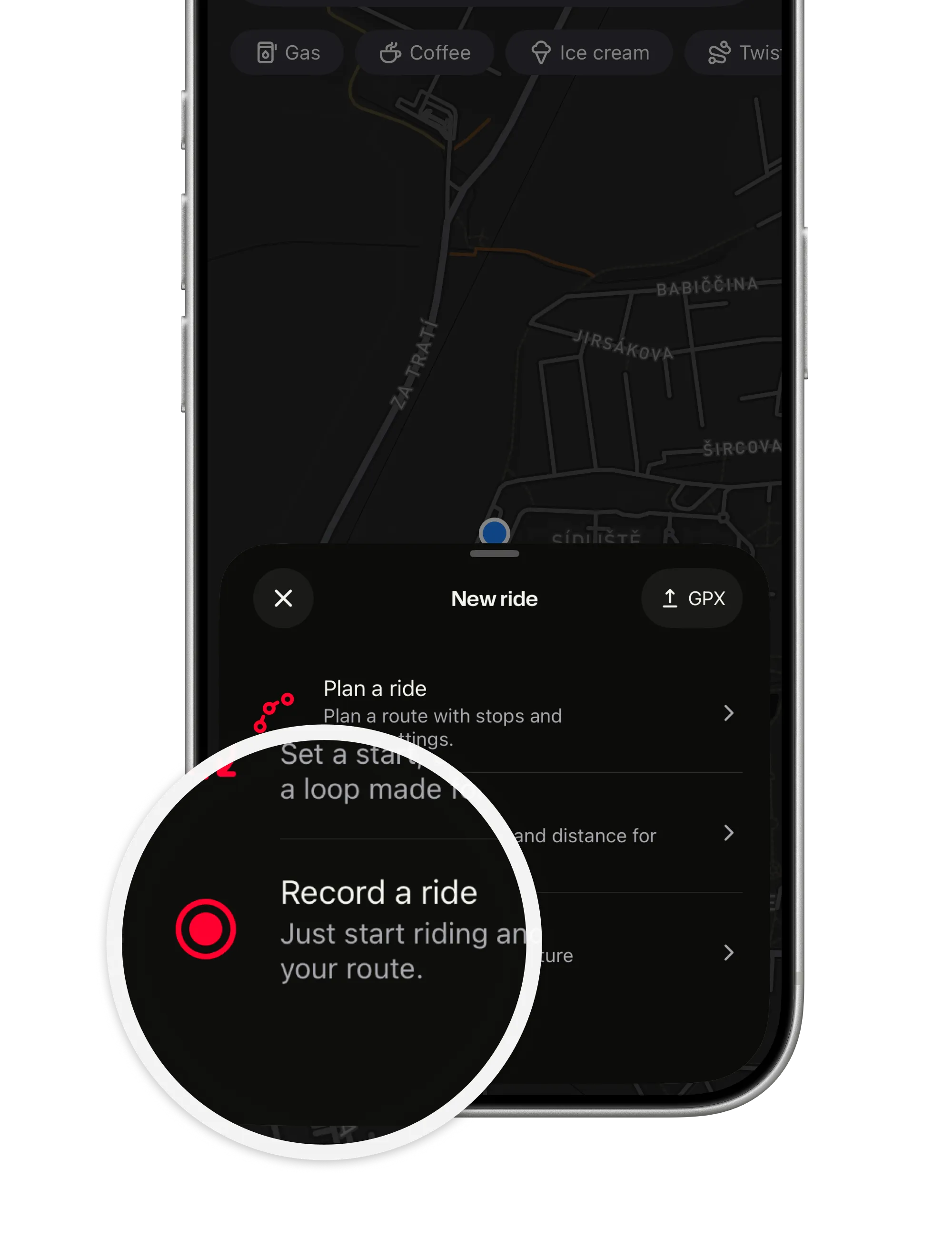
The New ride sheet with Record a ride magnified: start riding and ArcRoute captures the route
  • Automatic while you navigate. Nothing to switch on, nothing to watch for. Arrive, and it is saved.

  • Or on its own. Tap Record a ride with no route set, to log where you went.

  • More than the line. Speed, elevation and an estimated lean angle come along for the ride.

A route is what you meant to ride. A recording is what you rode: the detour, the gas stop, the pass you took on a whim.

How it works

What a recording keeps

The real path, in the background; the numbers behind it; and a ride you can go back to.

In your pocket, screen locked

Lock the phone or switch apps and the recording keeps running; location while using the app is all it asks for.

  • Survives a force-quit. The ride so far is saved next time you open ArcRoute.
  • Skips false starts. A recording under about 500 m is discarded, so walking to the bike never counts.
  • Pause for lunch. Tap the figures at the bottom: pause, resume, stop and save, or discard.
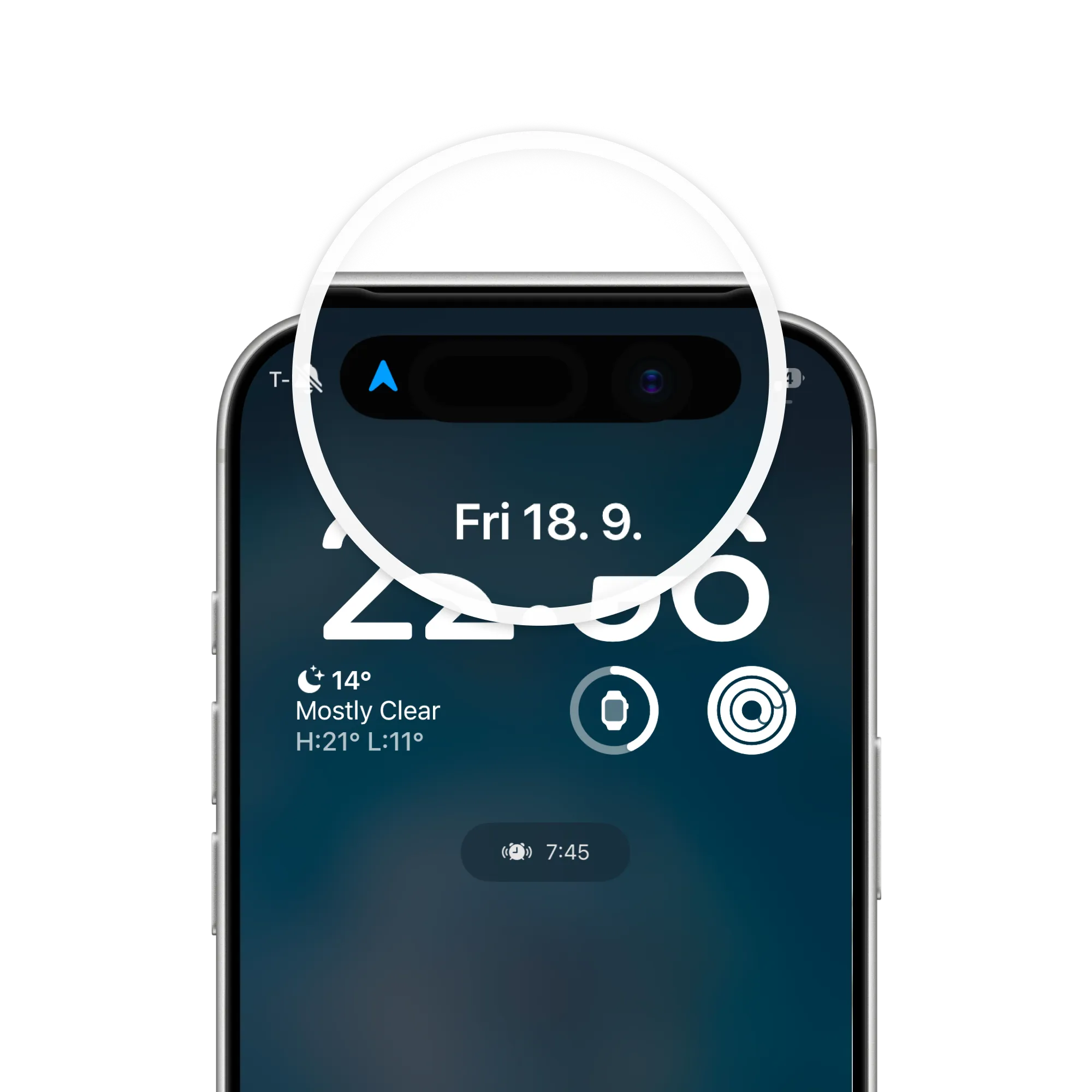
A locked iPhone with the blue location arrow in the Dynamic Island, magnified: the ride keeps recording in the pocket

Where you actually went

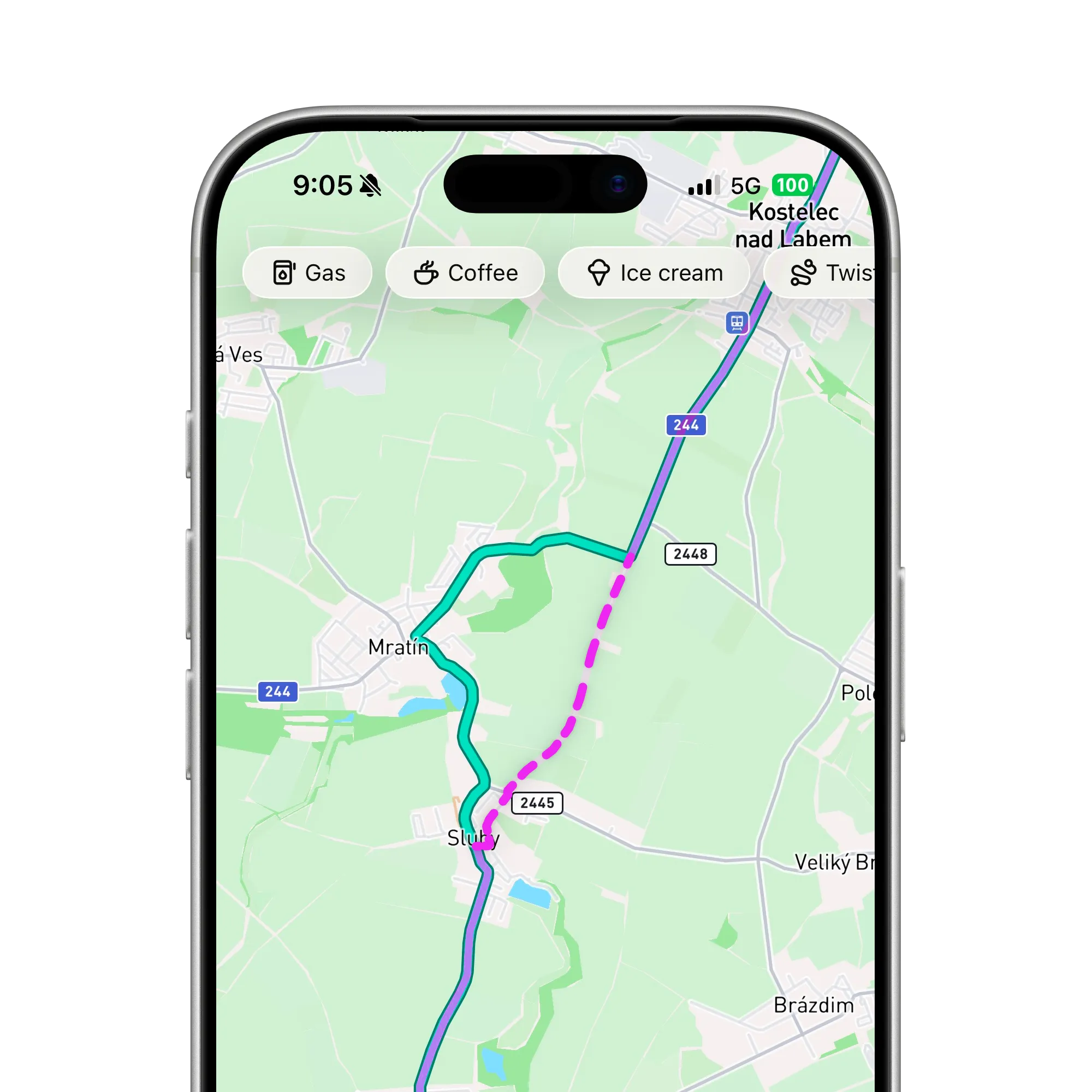
Leave the route for a detour, a gas stop or a field, and the saved ride follows your real path; a navigated ride keeps the route and the recording as two things.

  • Speed and elevation. Captured now, so past rides already have them when the detail view arrives.
  • Lean angle, estimated. From speed and curvature. A fun figure, not an instrument.
  • Feeds your heatmap. Recorded rides light the map; imported files never do.
The planned route and the ridden track on the map, parting near Sluhy and meeting again north of Mratín

A ride you can go back to

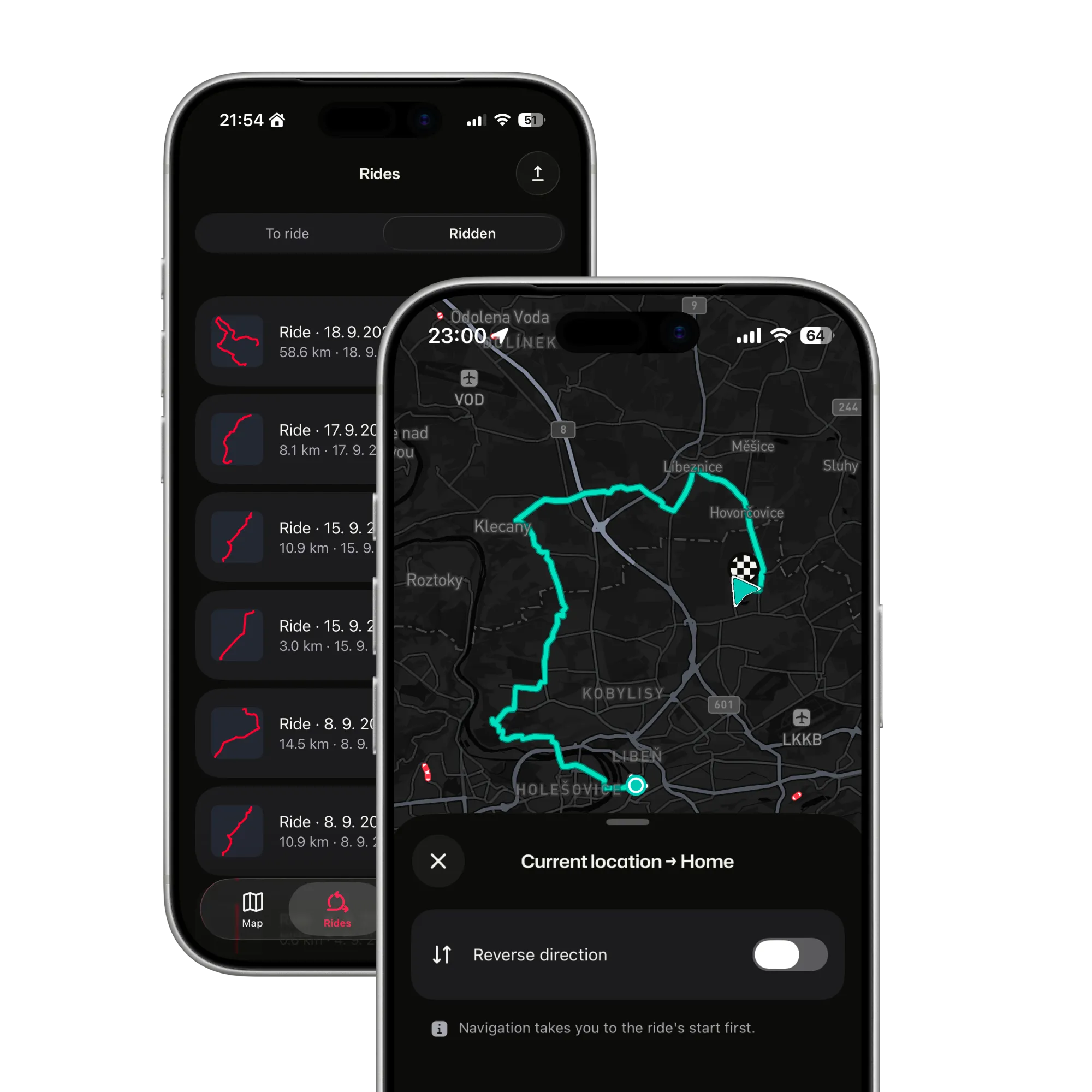
Recorded rides land in Rides, under History. Open one to ride it again, reverse it or replan it.

  • Ride it again next spring. With full guidance, offline as far as a saved ride goes.
  • Reverse it with one tap. Home the other way.
  • Backed up with your account. Rides and heatmap sync between your iPhones on their own.
The Rides list on the Ridden tab, and a saved ride from the current location to Home opened on the map, with the Reverse direction switch

Never lose a ride again

Ride first, look later. ArcRoute keeps the line, the speed and the lean, and puts the ride where you will find it.

Get the app
Switchbacks of a mountain road at dusk, seen from above
FAQ

Questions about ride recording

Straight answers on background recording, location access and what gets saved. The support page has the rest.

All questions and support

Does it record with the screen locked?

Yes. Lock the phone or switch apps and the recording keeps running; iOS shows its blue location indicator while it does. Location while using the app is enough for the whole ride, so ArcRoute never asks for always-on access.

Do I have to start the recording myself?

Not when you navigate: it starts with the ride and saves when you arrive or end it. Without a route, tap Record a ride.

What if the app crashes mid-ride?

The ride captured so far is recovered and saved the next time you open ArcRoute.

What does a recording contain?

The GPS track of the roads you rode, plus speed, elevation and an estimated lean angle along it. The rides list shows each ride’s shape, distance and date today; the full breakdown is a screen still to come, and the data is captured now so older rides will have it.

Are short rides saved?

Rides under about 500 m are treated as false starts and discarded, so you do not collect specks from walking to the bike.

Where do recorded rides go?

To the Rides tab, under History. From there you can ride one again, reverse it or replan it, and each one adds to your heatmap.

Ready to ride?

  • Plan it.
  • Ride it.
  • Remember it.
Download on the App Store

Fourteen days free. Questions or feedback? Get in touch

© 2026 ArcRoute. Made by in Czechia.