GPX import

Bring your own route

A route someone drew in Mapy.com or Komoot, a track from a GPS unit, a friend’s recording: open the GPX in ArcRoute and it becomes a ride you can preview, save and navigate with spoken turns.

See what happens to a file
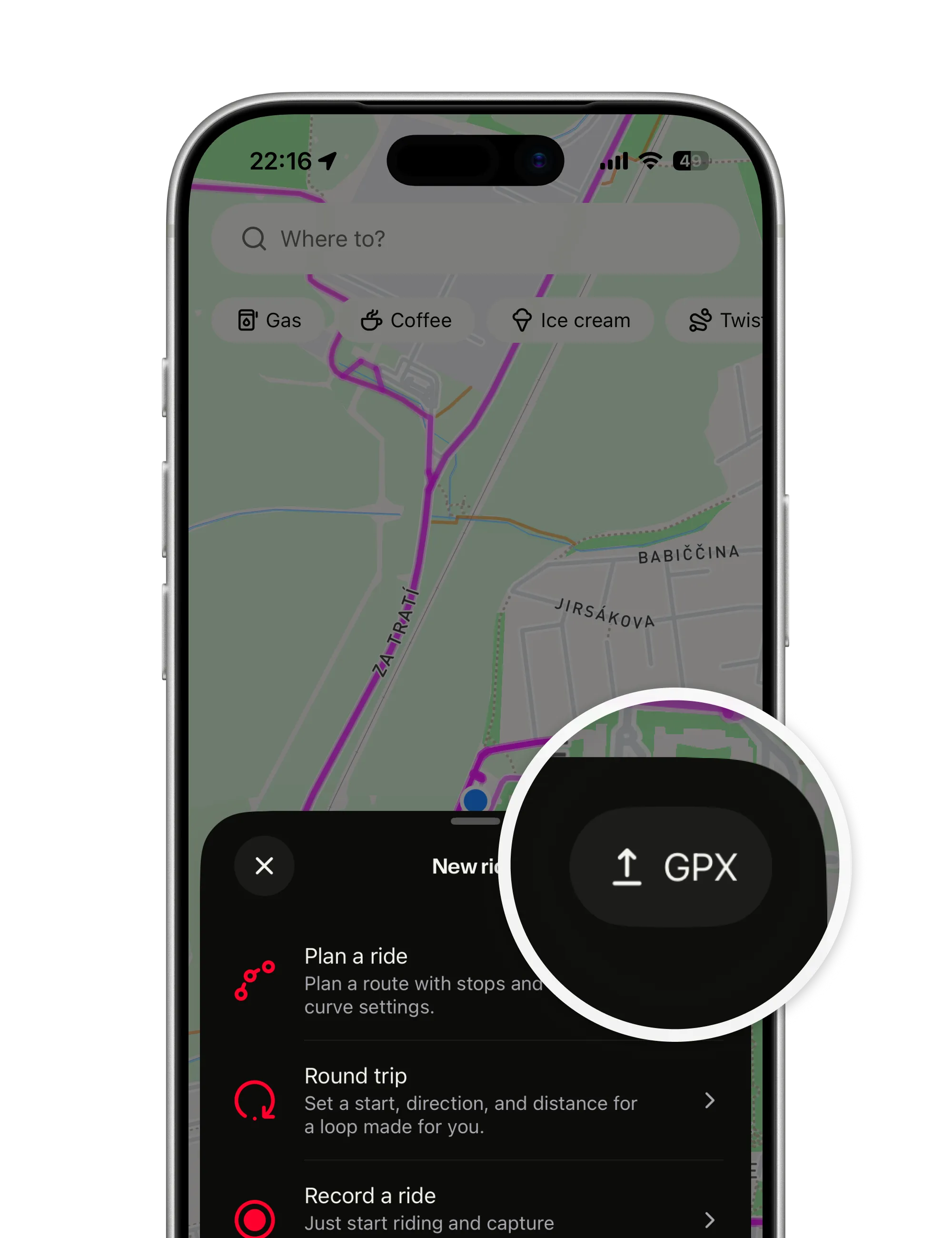
The New ride sheet with the GPX button magnified, the way in for a route from a file
  • Snapped or raw, your call. ArcRoute lines the track up with real roads, or keeps it exactly as drawn. Per file, and you see both.

  • Guided like any ride. Turn-by-turn, off-route detection and arrival, snapped or raw.

  • Not counted as ridden. An import stays out of your heatmap until you have actually ridden it.

Half the good routes in the world already exist in someone’s file. ArcRoute rides them, with the voice, the banners and the reroute of a route you planned yourself.

How it works

What happens to a file

A track that lands on the map at once, a snap to real roads you can compare and undo, and a ride like any other.

On the map right away

Tap GPX in the New ride sheet or Import GPX in Rides, pick a .gpx file, and the map opens on your route while ArcRoute matches it to real roads.

  • A few seconds. Roughly two to four for a 100 km route.
  • From anywhere. Mapy.com, Komoot, a GPS unit, a ride recorded on another device.
  • Reverse it here. Ride it the other way with one tap.
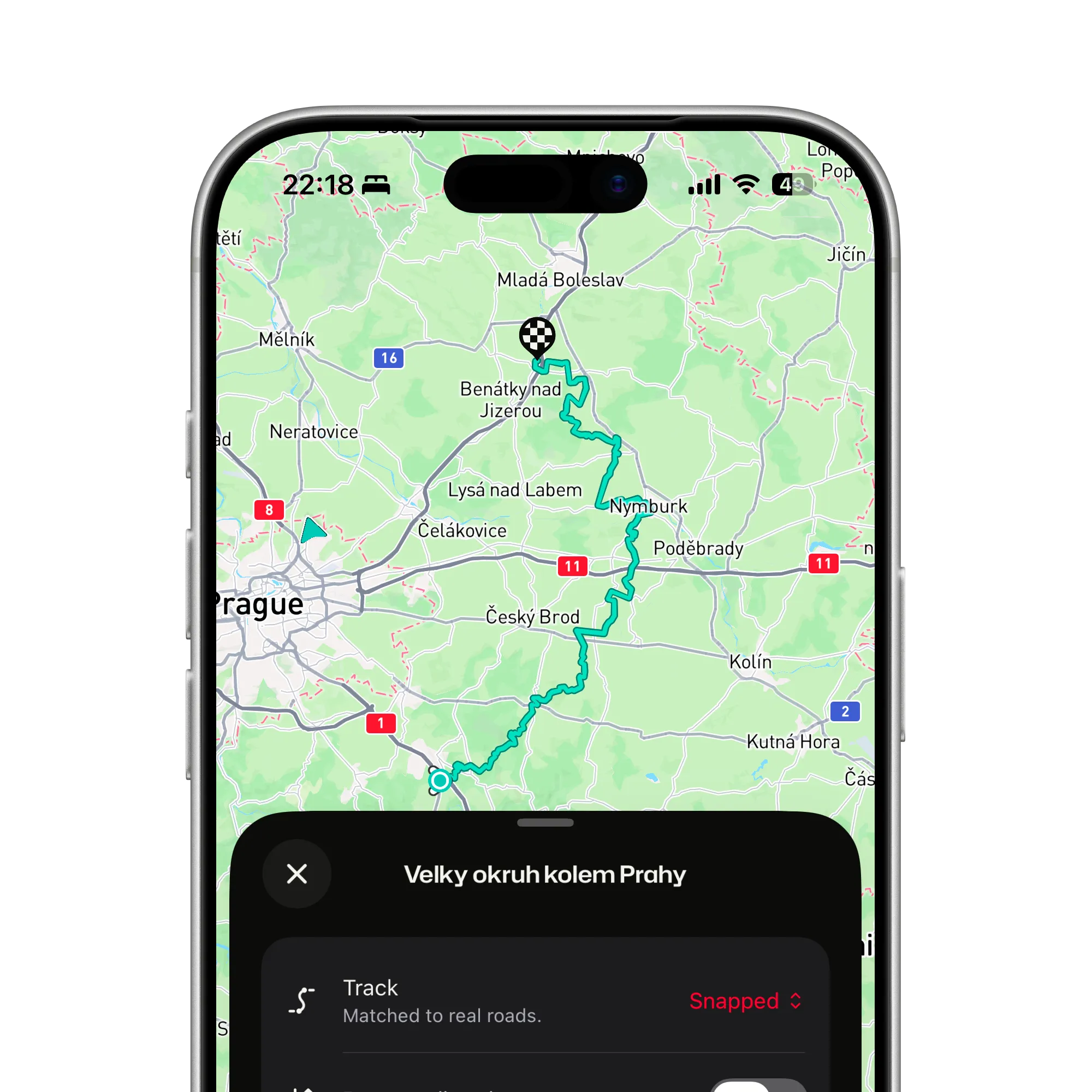
An imported GPX loop east of Prague, on the map right away, with the track matched to real roads

Snapped to roads, or exactly as drawn

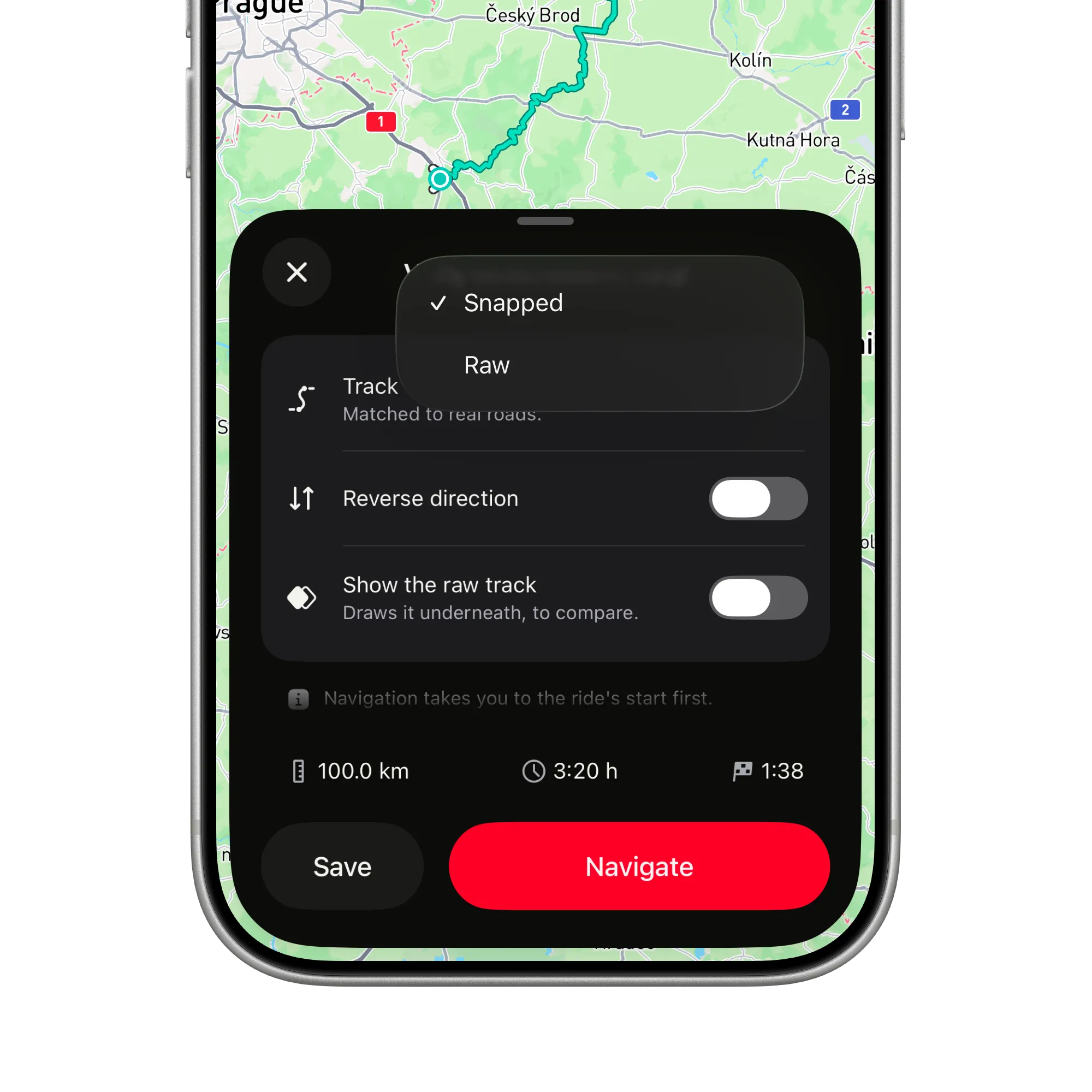
Files are often drawn loosely. Snapping lines the track up with the roads where it can, and keeps it raw where no road matches.

  • Compare the two. Show the raw track draws it as a thin dashed line underneath.
  • Raw stretches are correct. A field or a road not in the map stays as drawn.
  • Switch any time before you save. Instant, and remembered per file.
The track menu open on Snapped and Raw, with switches for Reverse direction and Show the raw track underneath

Then it is a ride like any other

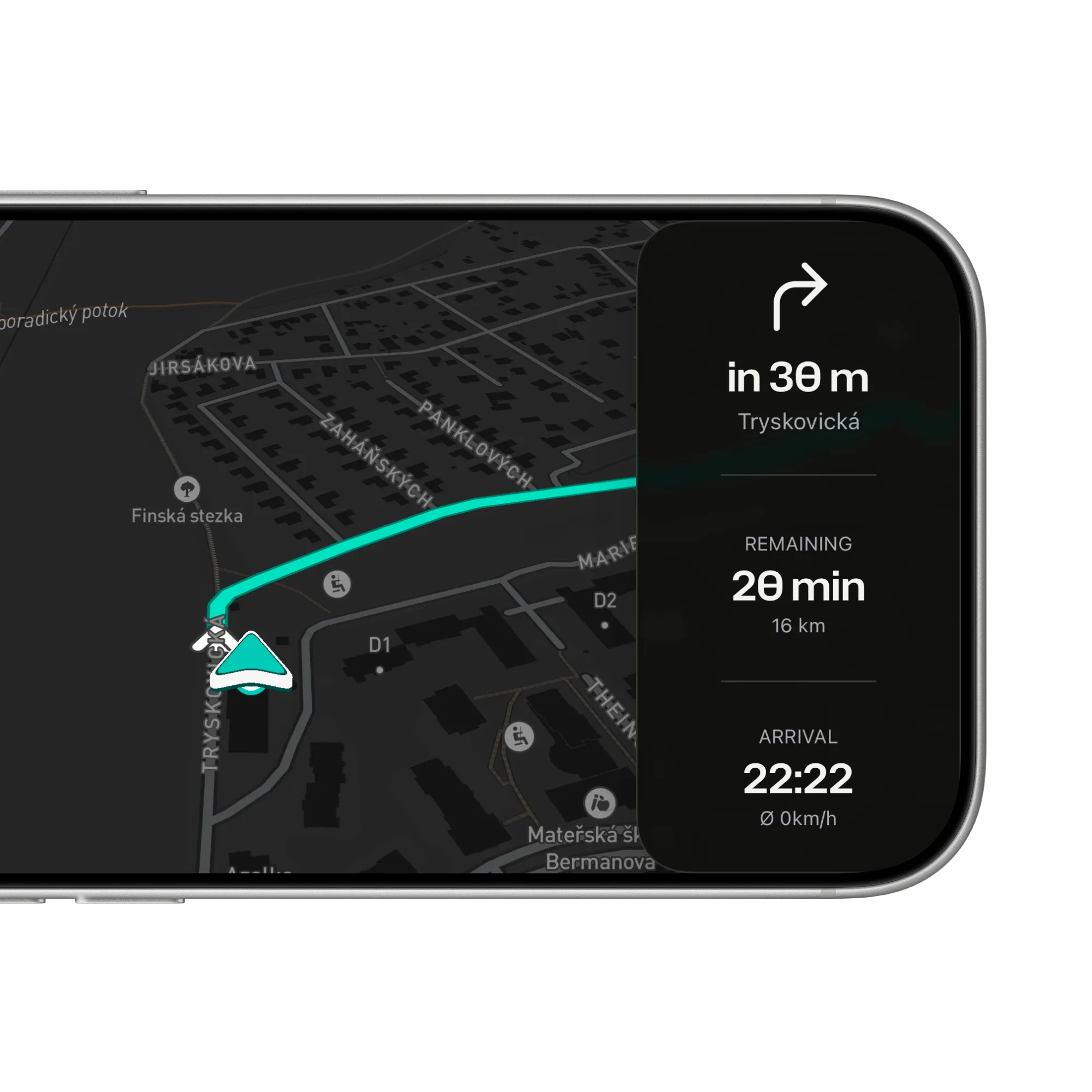
Save it to your rides or navigate it now; snapped and raw imports both get full guidance that follows the line, off-route detection and arrival.

  • Spoken turns in your helmet. English or Czech, screen locked.
  • Reroutes forward if you leave it. Like any planned route.
  • Ridden, then in the heatmap. A file is not proof you rode it; the recording is.
Navigation in landscape, the same as for any route: the next turn in 30 m, 20 min remaining, arrival at 22:22

Got a route in a file?

Open it in ArcRoute. Snap it to the road, save it, and ride it with the turns spoken into your helmet.

Get the app
A wet country crossroads at dusk from the saddle, a glowing red arrow on the road bending right
FAQ

Questions about GPX import

Straight answers on files, snapping and what an import counts for. The support page has the rest.

All questions and support

Which apps can I import from?

Anything that exports a .gpx: Mapy.com, Komoot, a Garmin or other GPS unit, or a ride recorded on another device. Open the file in ArcRoute from the New ride sheet or the Rides tab.

What does snapping do?

It lines your track up with the real road network where it can, so the ride follows actual roads instead of a loosely drawn line, and keeps the track raw where there is no matching road. You see the result before you save and can switch between snapped and raw until you do.

Why is part of my route still a loose line?

Because there is no road under it in the map: a field, a farm track, a path the map does not know. That is snapping being honest, and a handy to-do list if you want to tidy the route later.

What if the route cannot be snapped at all?

Too few points or a route that runs off-map the whole way cannot be matched; ArcRoute tells you and offers Keep raw. A raw import is a normal saved ride and navigates the same way.

Does an imported route count in my heatmap?

No. The heatmap is built only from rides you recorded. Ride the imported route and record it, and it lights up like any other.

Does importing need a signal?

Snapping runs on ArcRoute’s server, so it needs a connection; if it cannot be reached you can try again or keep the raw track. Once saved, the ride replays offline like any other.

Ready to ride?

  • Plan it.
  • Ride it.
  • Remember it.
Download on the App Store

Fourteen days free. Questions or feedback? Get in touch

© 2026 ArcRoute. Made by in Czechia.